Chariot-1-ASR Realtime

Subtitles from your video, in the language it is spoken.

Upload a video or its audio, turn on word timestamps, and download an SRT file for YouTube or your video editor. Hindi, English and 10 more Indian languages, with English words kept as they were said.

Free to start · No card · SRT download · 12 languages

  1. Your video
  2. Upload it
  3. Get the SRT
  4. Subtitled

Your video needs subtitles.

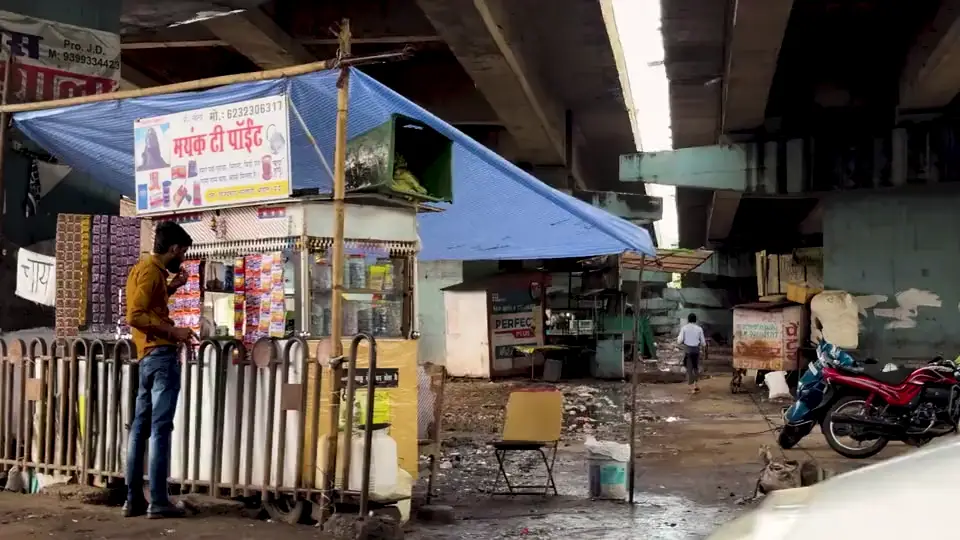
The voices: Matt and Meera, two of Chariot’s own, through Chariot text to speech; the show is made up, and the footage is from Pexels. The transcript and every word’s time: Chariot-1-ASR Realtime, with the language left for it to detect. The captions are cut the way the web app cuts its SRT.

SRTfiles from each word’s timing, cut into lines a viewer can read

#1in all 10 Indian languages we tested, against every streaming API and every batch model

MP4and other video files read directly, as long as they have an audio track

12languages, with English words in Latin letters or in the language’s own script

How it works

Three steps to an SRT file.

Upload the video

In Speech to Text in the web app, drop in the video or its audio: MP4, MP3, WAV, M4A and more.

Turn on word timestamps

In Advanced, switch on word timestamps. Set the language, or leave it out and the model detects it.

Download the SRT

Under the transcript, download the SRT and add it to YouTube, or import it into your editor.

API

Subtitles from the API.

Send the video with include_timestamps=true and each word comes back with its start and end time, ready to cut into captions.

cURL
curl https://api.chariot.in/v1/asr/transcribe \
  -H "chariotai-api-key: $CHARIOT_API_KEY" \
  -F "language=hi" \
  -F "include_timestamps=true" \
  -F "input_audio_file=@episode-12.mp4"

# {"text": "...", "duration": 42.6,
#  "words": [{"text": "...", "start": 0.38, "end": 0.71}, ...]}

The captions

Lines a viewer can read.

How the SRT is cut, and what else you can take from the same timings.

Cut where people pause

A caption ends at the end of a sentence, at a comma after six words, at a pause of more than 0.6 seconds, or after twelve words.

Timed to the word

Each caption starts with its first word and ends with its last, from word timestamps estimated from the audio.

English words

Codemix keeps borrowed English words in Latin letters; native writes them in the script of the spoken language.

JSON too

Copy every word with its start and end time as JSON, for your own caption or editing tools.

Through the API

Send include_timestamps=true to the file or async API and build captions from the words yourself.

Long videos

The async API takes recordings of up to three hours each, up to 100 in a batch.

Pricing

Plans from ₹499 a month.Plans from $5 a month. Or start free.

Speech to text uses the same credits as text to speech, at one rate in both modes. Each plan covers this much audio a month.

PlanA monthSpeech to text
Free10,000 credits₹0$0about 2 hours
Starter100,000 credits₹499$5about 19 hours
Creator250,000 credits₹999about 46 hours
Startup1,500,000 credits₹4,999$49about 280 hours
Scale10,000,000 credits₹29,999$299about 1,900 hours

Monthly prices. Prices exclude applicable taxes.

Use cases

Other things people build with it.

Voice agents, too: they hear a caller while they are still speaking, in their language.

Audio and video to text

Upload a recording or a video and get its transcript, in the language it was spoken.

Audio and video to text ›

Live captions

Captions for streams, classes and events that keep up with the speaker.

Live captions ›

Call transcription

Support and sales calls written down, live from the phone line or from recordings.

Call transcription ›

Voice typing

Speak into the microphone, watch the words appear, and copy them anywhere.

Voice typing ›

Your data

Your audio stays in India.

Speech to text runs on Indian infrastructure. Audio you send and its transcripts are processed in India under the Digital Personal Data Protection Act. Chariot is one of four teams selected under the IndiaAI Mission to build the country’s foundation models.

IndiaAudio and transcripts are processed in India.
DPDPHandled under India’s data protection law.
1 of 4Teams selected under the IndiaAI Mission to build foundation models.

FAQ

Questions, answered.

More in the speech to text docs.

How do I make subtitles from a video?

Upload the video in Speech to Text in the web app, turn on word timestamps in Advanced, and download the SRT under the transcript.

Can I add the SRT to YouTube?

Yes. YouTube takes SRT files: in YouTube Studio, open the video’s subtitles and upload the file.

Are the timings exact?

They are estimated from the audio, word by word. Check them in your editor before you publish.

Does it translate subtitles?

No. The subtitles are in the language that was spoken. Setting a language tells the model what to expect; it does not translate.

Can it burn the subtitles into the video?

No. It gives you an SRT file; your video editor or the video platform shows it.

Does it label who is speaking?

Not yet. Transcripts are plain text, with optional word timestamps.

How is it billed?

1.5 credits per second of audio, 90 credits a minute, from the same credits as text to speech. Every account starts with 10,000 free credits, almost two hours of audio.

Which languages does it support?

Hindi, Marathi, Bengali, Tamil, Telugu, Kannada, Malayalam, Gujarati, Punjabi, Odia, Sanskrit and English. Set the language for a session, or leave it out and the model detects it from the audio.

Every word, as it is spoken.

Start free with 10,000 credits, almost two hours of audio. No credit card.